
Overview
This document explains how to register a user profile image (UserInfo.Photo) on a device using Suprema G-SDK.
UserInfo.Photo is a field for storing profile photos for device UI display, and it is separate from the warped image data (FaceData.ImageData) or face templates used for facial authentication. The maximum supported image data size is 16 KB.
After registering a user profile image, the device displays the profile image on the Access Granted screen as shown below.

If you set a user profile image, you can view it on the Access Granted screen, as shown in the red-boxed area (example device: FaceStation F2).
Before you begin, it is recommended to check whether the device supports the user photo feature by calling the GetCapabilityInfo API and verifying the CapabilityInfo.userPhotoSupported field.
Workflow
This section explains how to include a user profile image when enrolling or updating a user using Suprema G-SDK.
Step 1. Prepare a profile image file
- Prepare a profile image file for the user (do not use a Base64-encoded image).
- The maximum size of UserInfo.Photo is 16 KB. Resize or compress the image if necessary.
If the image exceeds 16 KB, the request fails and an error is returned.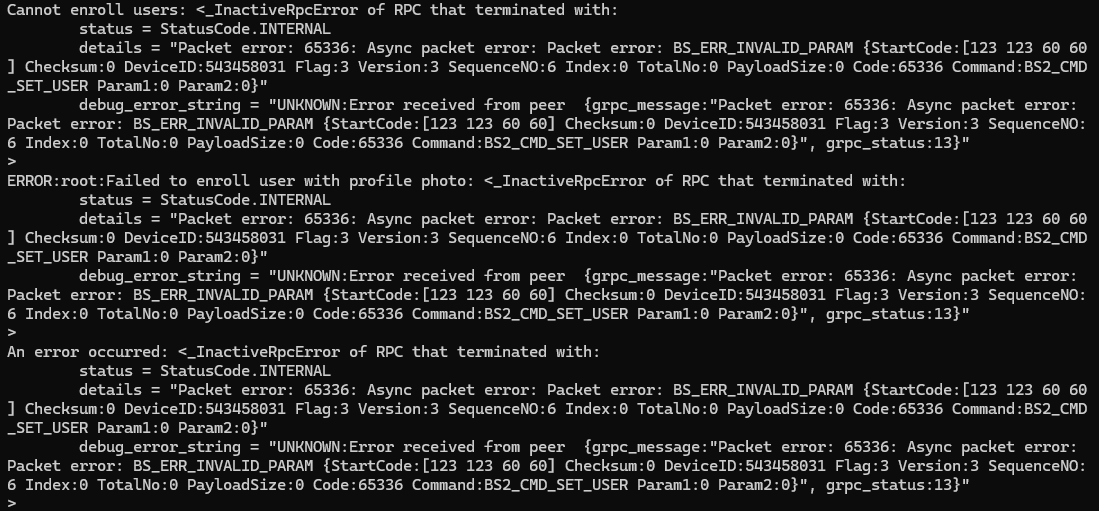
Step 2. Create a UserInfo object and assign the profile image
- Create an instance of UserInfo.
- Read the prepared image file into a byte array.
- Assign the byte array to UserInfo.Photo.
For New User Enrollment (Enroll)
| Field | Type | Required | Description |
| UserInfo.Hdr.ID | string | Y | User ID |
| UserInfo.Hdr.userFlag | uint32 | Y | Set to USER_FLAG_CREATED |
| UserInfo.Photo | bytes | N (In this article, Y) | User Profile Image (raw bytes) |
For Existing User Update (Update)
| Field | Type | Required | Description |
| UserInfo.Hdr.ID | string | Y | Target User ID |
| UserInfo.Hdr.userFlag | uint32 | Y | Set to USER_FLAG_UPDATED |
| UserInfo.Hdr.updateMask | uint32 | Y (for Update only) | Bitmask to preserve unmodified fields |
| UserInfo.Photo | bytes | N (In this article, Y) | User Profile Image (raw bytes) |
Since this article focuses on updating the user photo, set updateMask to keep all other user fields except KEEP_USER_PHOTO. For details on updateMask, see the API reference : https://supremainc.github.io/g-sdk/api/user/#update
Step 3. Enroll a new user or update an existing user
- Enroll (New User) : Call User.Enroll with the UserInfo object.
- Update (Existing User) : Call User.Update with the UserInfo object. Only the fields you specify will be modified; others are preserved based on updateMask.
Full Example Code
def enrollUserWithProfilePhoto(devID, userSvc, deviceSvc):
    try:
        capInfo = deviceSvc.getCapInfo(devID)
        print(f"Device userPhotoSupported: {capInfo.userPhotoSupported}")

        if not capInfo.userPhotoSupported:
            print("ERROR: This device does NOT support user profile photos.")
            print("Profile photo enrollment is not available on this device.")
            return False

        userID = input("Enter user ID: ")
        if not userID:
            print("No user ID provided.")
            return False

        photoPath = input("Enter profile image file path: ")
        if not photoPath:
            print("No file path provided.")
            return False

        with open(photoPath, "rb") as f:
            photoData = f.read()

        MAX_PHOTO_SIZE = 16 * 1024
        if len(photoData) > MAX_PHOTO_SIZE:
            print(f"ERROR: Image size ({len(photoData)} bytes) exceeds 16KB ({MAX_PHOTO_SIZE} bytes) limit.")
            print("Please resize or compress the image before uploading.")
            return False

        isNewUser = yes_or_no("Is this a new user? (y=Enroll, n=Update): ")

        if isNewUser:

            userHdr = user_pb2.UserHdr(
                ID=userID,
                userFlag=user_pb2.USER_FLAG_CREATED
            )

            userInfo = user_pb2.UserInfo(
                hdr=userHdr,
                photo=photoData
            )

            userSvc.enroll(devID, [userInfo], True)
            print(f"User {userID} enrolled with profile photo successfully!")

        else:
            userHdr = user_pb2.UserHdr(
                ID=userID,
                userFlag=user_pb2.USER_FLAG_UPDATED,
                updateMask=(
                    user_pb2.KEEP_USER_PHRASE |
                    user_pb2.KEEP_USER_JOB_CODE |
                    user_pb2.KEEP_USER_NAME |
                    user_pb2.KEEP_USER_PIN |
                    user_pb2.KEEP_USER_CARD |
                    user_pb2.KEEP_USER_FINGER |
                    user_pb2.KEEP_USER_FACE
                )
            )
            userInfo = user_pb2.UserInfo(
                hdr=userHdr,
                photo=photoData
            )

            userSvc.update(devID, [userInfo])
            print(f"User {userID} profile photo updated successfully!")

        return True

    except FileNotFoundError:
        print("File not found. Please check the file path.")
        return False
    except Exception as e:
        logging.error(f"Failed to enroll user with profile photo: {e}")
        print(f"An error occurred: {e}")
        return False