Overview
There are some frequently asked questions about Wiegand configuration using the CoreStation (CS-40).
If you are using BioStar 2, please refer to this article: [BioStar 2] Wiegand Reader Sample Configuration
1. Devices Used and Preparations
- Programming Language: C#.
Refer to the C# sample code included in the BioStar Device SDK package, available from the Suprema Download Center.
- Device: CoreStation, BioEntry W2
- SDK: BioStar Device SDK v2.9.13
- Register the test user and the corresponding card credential on CoreStation. In this test, BioEntry W2 operates in Wiegand bypass mode and sends card data to CoreStation without authenticating the user.
** In this test, a Mifare CSN card was used with the 26-bit SIA Standard-H10301 Wiegand format.
- The physical wiring connections are as follows.

2. How to configure Wiegand device using BioStar Device SDK?
1. First, settings are required for the Wiegand reader (BioEntry W2).
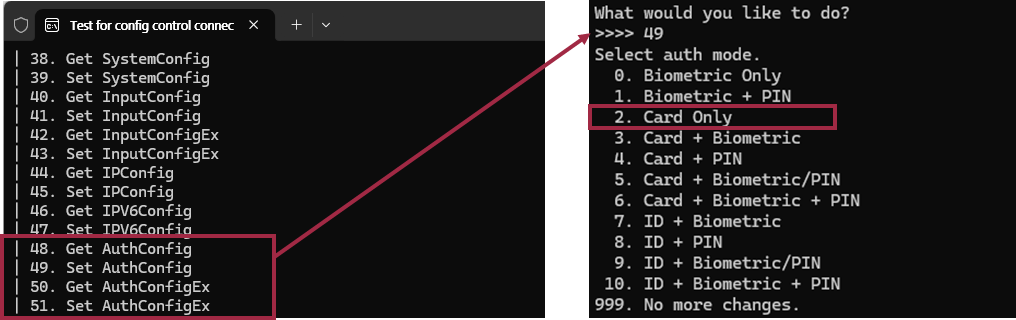
1-1. Set the Auth Mode to Card Only using the sample code in ConfigControl.cs.
(Just for testing purposes. You can use different authentication modes. If you use Wiegand bypass, you do not need to consider the Auth mode.)
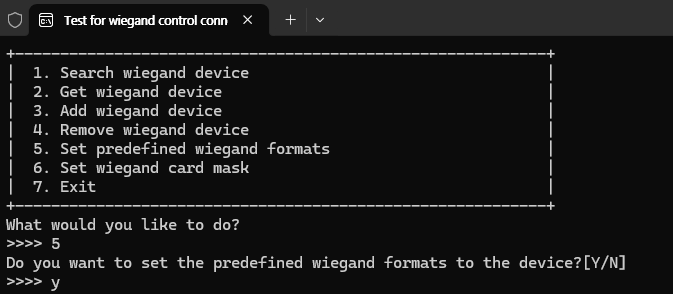
1-2. Apply the predefined Wiegand format to the Wiegand reader using the sample code in WiegandControl.cs.
(If you want to use a different Wiegand format, you will need the definition for that format. In this test, we are using the format defined in the example code provided beforehand.)
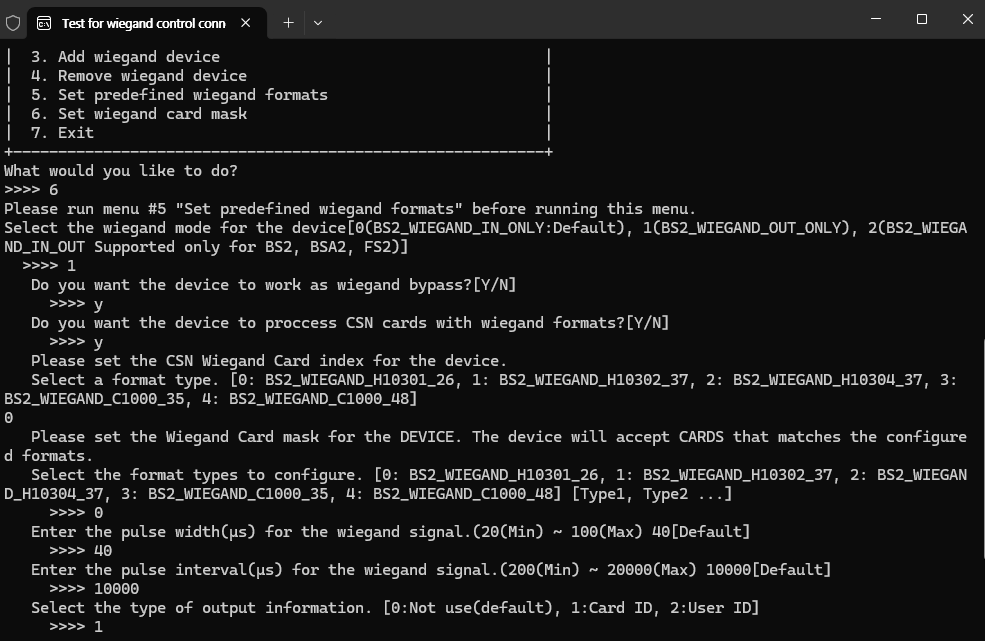
1-3. Configure the Wiegand card mask on the reader so that it reads CSN cards using the selected Wiegand format.
Set the Wiegand mode on the Wiegand Reader to OUT. (In this test, Wiegand bypass mode is used.)
2. Settings are required for the CoreStation (CS-40).
2-1. Apply the predefined Wiegand format to the CS-40 using the sample code in WiegandControl.cs.
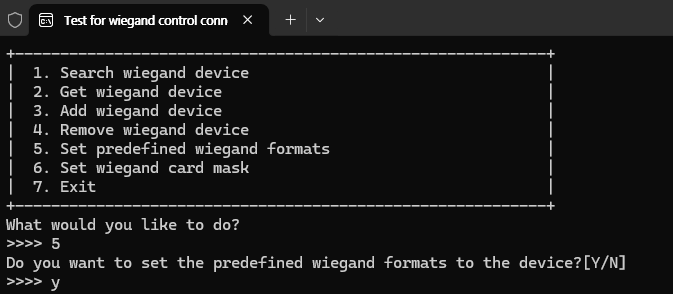
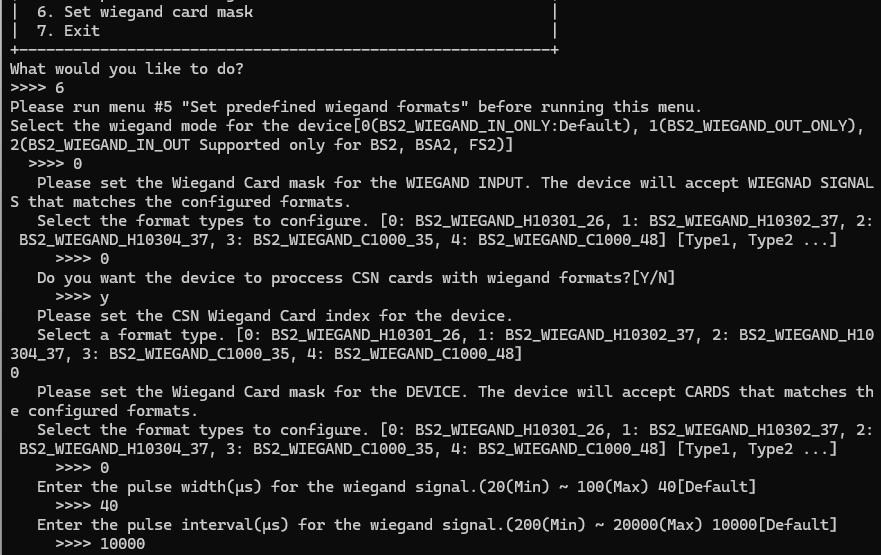
2-2. Configure the Wiegand card mask on the CS-40 and set its Wiegand mode to IN.
The CS-40 always operates as a Wiegand IN device.
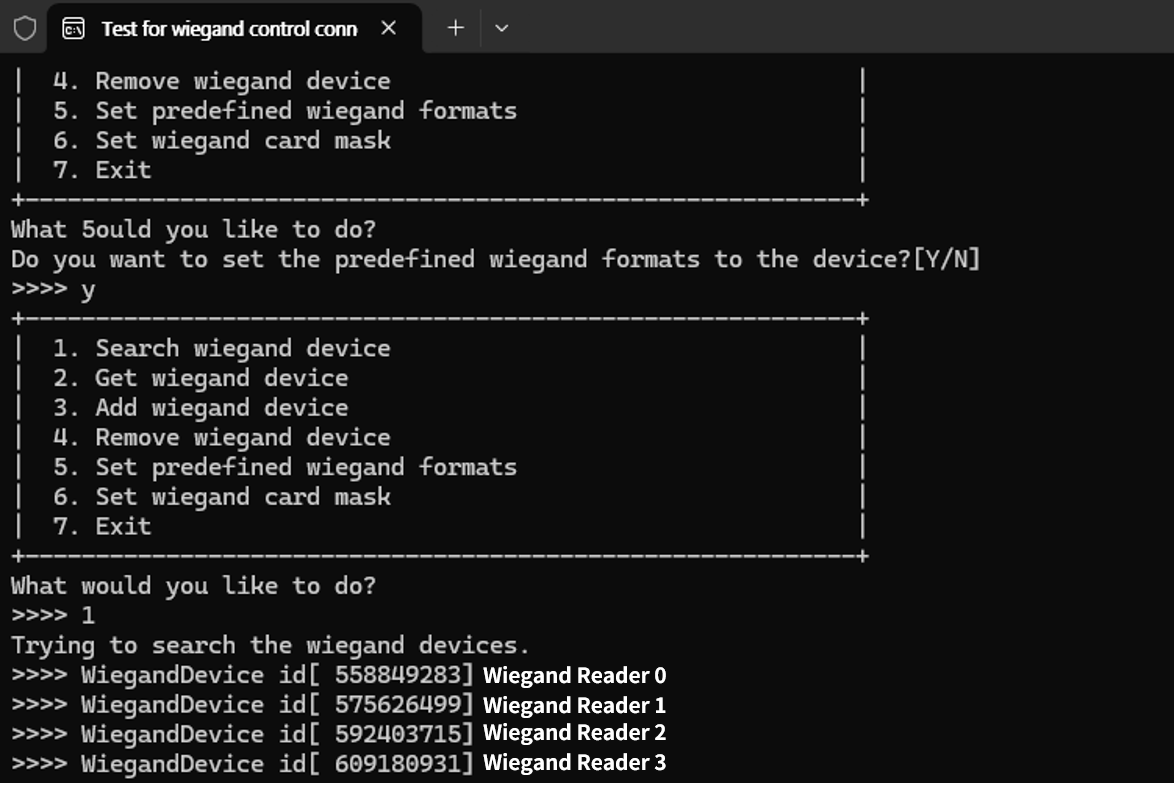
2-3. Search for Wiegand devices on the CS-40 and specify where the Wiegand reader is connected.
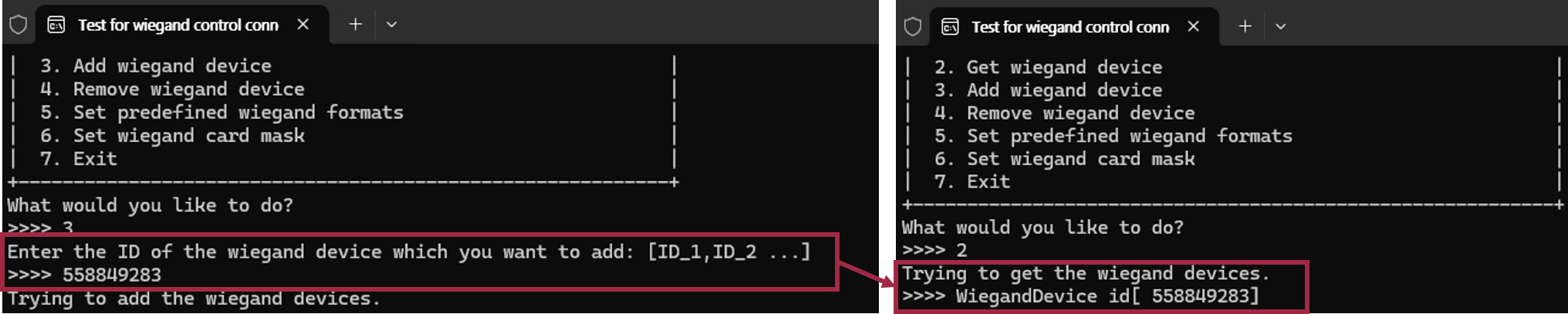
2-4. Add the Wiegand device by entering the Wiegand ID corresponding to the reader’s connection.
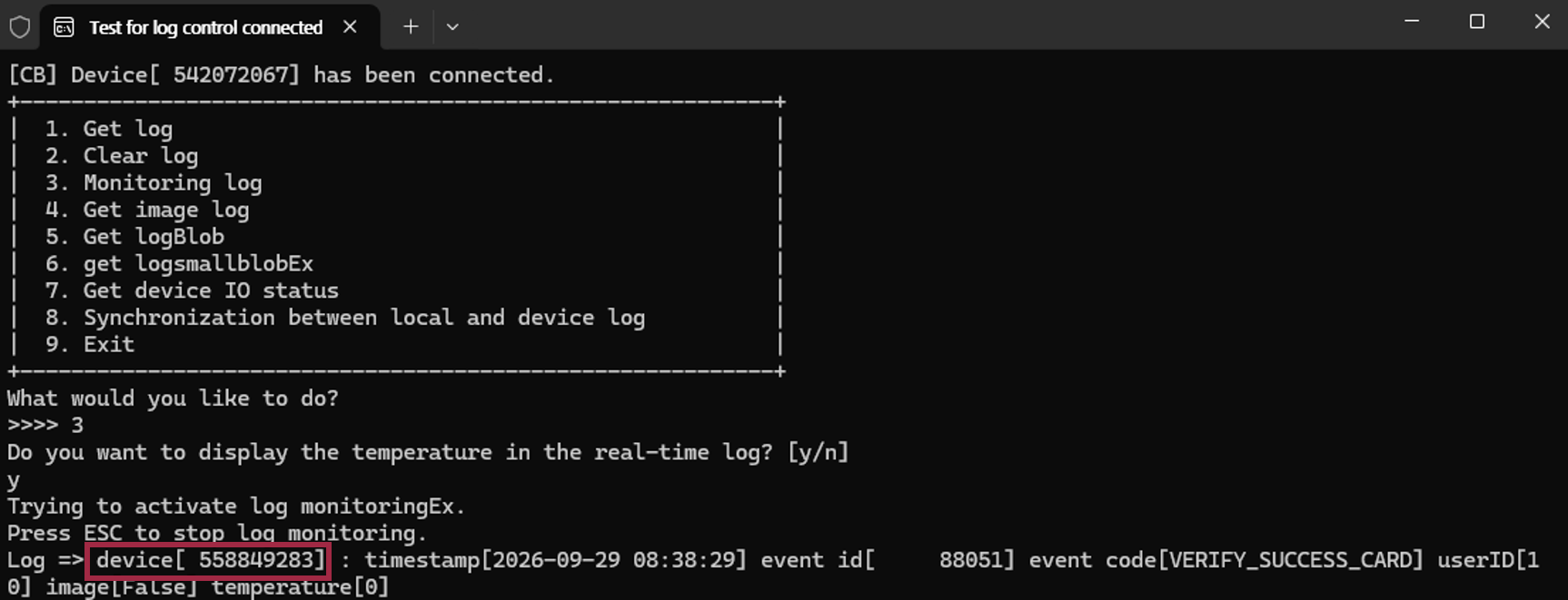
3. Present the card to BioEntry W2, then check the corresponding event log on CoreStation using the sample code in LogControl.cs.