
We have recently identified an issue affecting BioStar when integrating Microsoft Entra ID. This article explains the symptoms, cause, affected versions, and available fixes.
Issue Summary
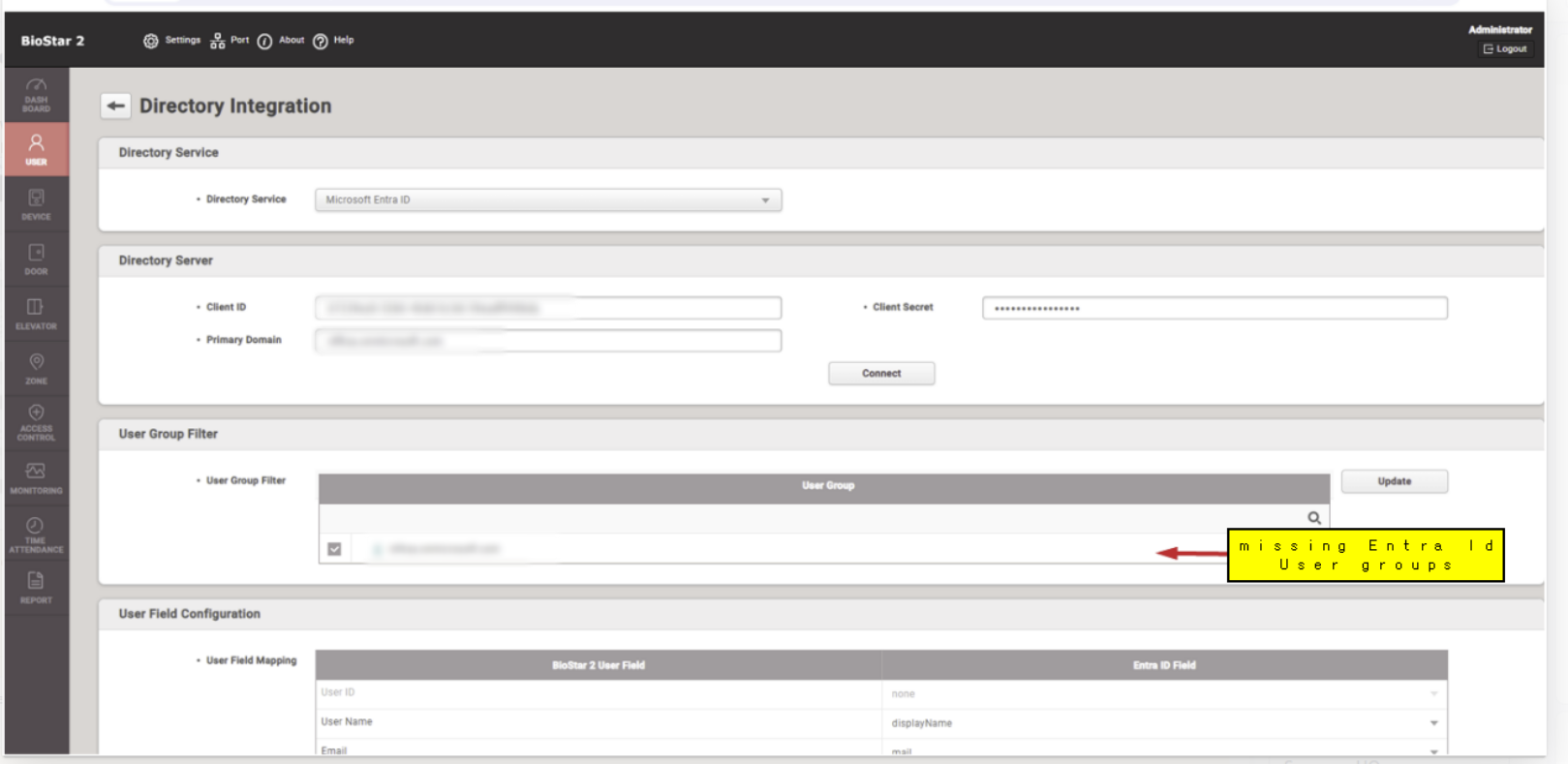
When BioStar is connected to Entra ID, the system will fail to display User Groups inside the BioStar Directory Integration Settings page.
This issue occurs only when the Entra ID contains more than 100 user groups.
Symptoms
After configuring Entra ID integration, no user groups appear in the selection list.
Affected Version
BioStar 2 v2.9.11
How to Confirm the Issue in Logs
You can identify this behavior by examining the BioStar logs.
What to Look For
Search the logs for the following keywords:
"$expand""expand=memberOf"
Indicators
You will see a high volume of
/v1.0/groupsAPI calls.The system repeatedly sends group API requests containing
expand=memberOf.This repetition is what triggers the malfunction.
If these patterns appear and your Entra ID environment contains more than 100 user groups, you are likely affected by this issue.
Patch Availability
A patch has been prepared to resolve this issue (targeted for version 2.9.11):
> Download Patch: entra_id_user_group_over_100_patch.zip
The patch removes the unnecessary expand=memberOf parameter from API calls, ensuring stable retrieval even when the tenant has more than 100 groups.
Instructions to Apply Patch File:
1. Stop BioStar 2 Web Server
2. Go to BioStar 2 installation folder and back up libs/web-app folder
3. Copy all the jar files inside the patch file and paste it in libs/web-app folder in the BioStar 2 installation folder
4. Start BioStar 2 Web Server
Recommendation
If you encounter this problem:
Confirm via logs that repeated
expand=memberOfcalls are present.Apply the provided patch.
Restart BioStar services and reconfigure the Entra ID connection.
Need Support?
If you need any additional support regarding the issue, please contact us by sumitting a ticket from our support page: Suprema Support Page