
What is CLUe Web Portal?
CLUe supports a multi-tenant architecture with a three-level hierarchy system, considering distribution channels for multi-location customer services. This is why, when you start the CLUe web portal, it is important to understand your admin level and associated rights.
- Branch Admin: Branch admin can create a disti/place group/place as its child item.
- Disti Admin: Disti admin can create a place group/place as its child item.
- Place Group Admin: Place Group admin can create a place as its chid item.
Accordingly, one branch can have multiple distributors, and one distributor can also have multiple place groups. And if your admin level is Disti admin, you’re able to see only from your disti item and your own children items.
Therefore, it is necessary to invite customers via email, and the invitees can sign up through the link in the email and then access the space groups to which they have been invited.
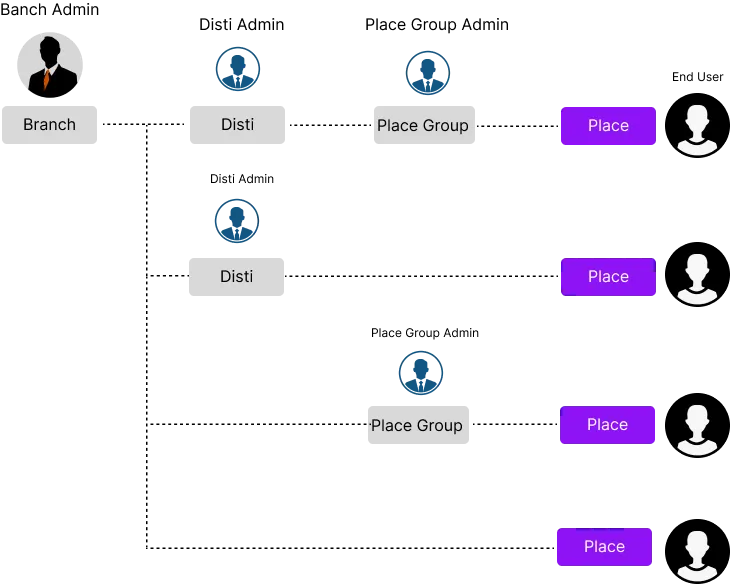
Which one is for Customer or End-User?
CLUe has a concept of supporting multi-location services for customers or service providers. Thus, a 'Place Group' can be assigned to a customer who wants to use a multi-tenant system. This is why, until a place group is created, it is necessary to input an email address when creating a place group.
How can I set up a child item?
Once you login, you will be able to see the invited branch/disti/place groups in the list. Please choose one to move to the pannel view.
With the pannel view, you can see the more button on the top right. Once you click the button, you can see the two menu buttons.
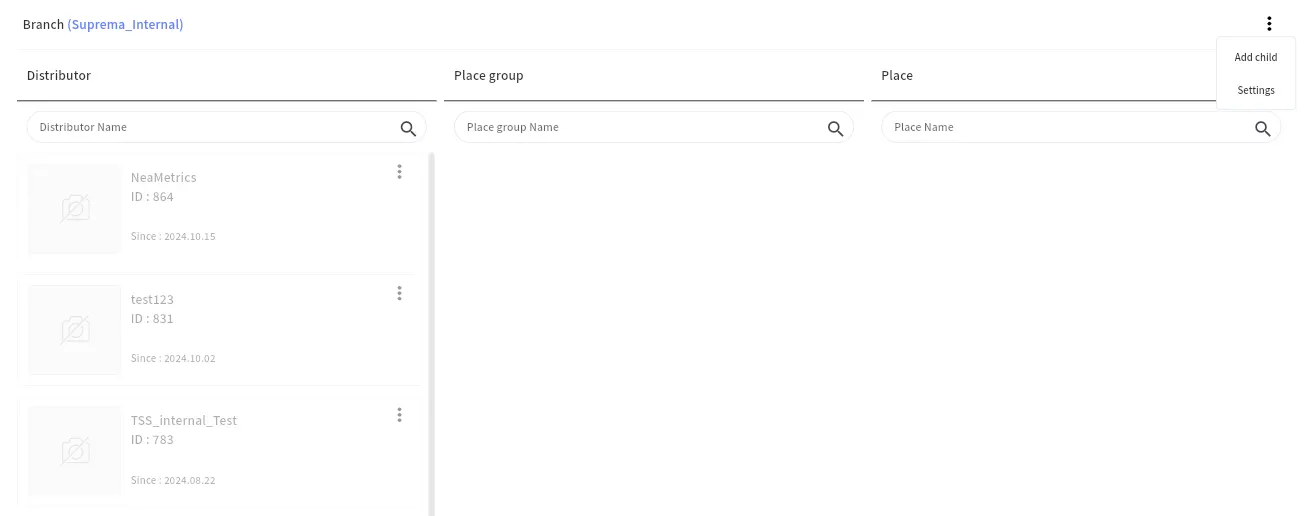
Click a “Add Child” button, Then, the below popup will show. You can fill out the field and click “Add” button in the bottom to create.
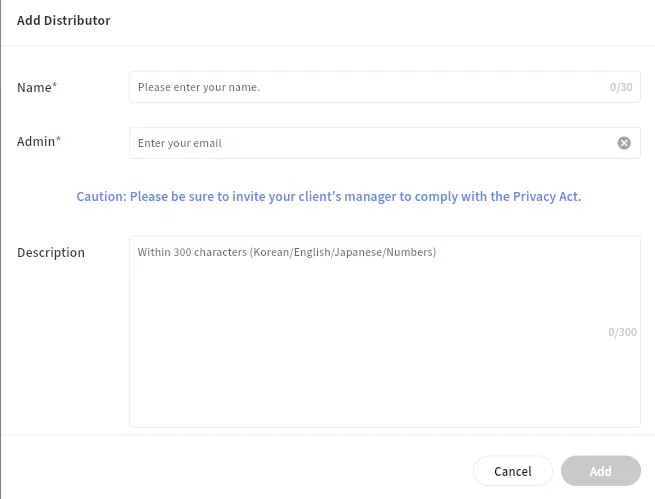
Why should I enter admin email?
By default, a super administrator can access menus that do not involve customer personal data, such as device or door settings. Access to customer personal data requires the customer’s consent; therefore, it is necessary to first invite the customer’s administrator.
If, in the future, access to personal data is required, the customer can additionally invite a super administrator. Once invited, the super administrator will be able to access menus containing personal data, including users, administrators, and monitoring.
Once added, you’re automatically moved to the settings page, and here, you can change its name or photo with the basic menu.
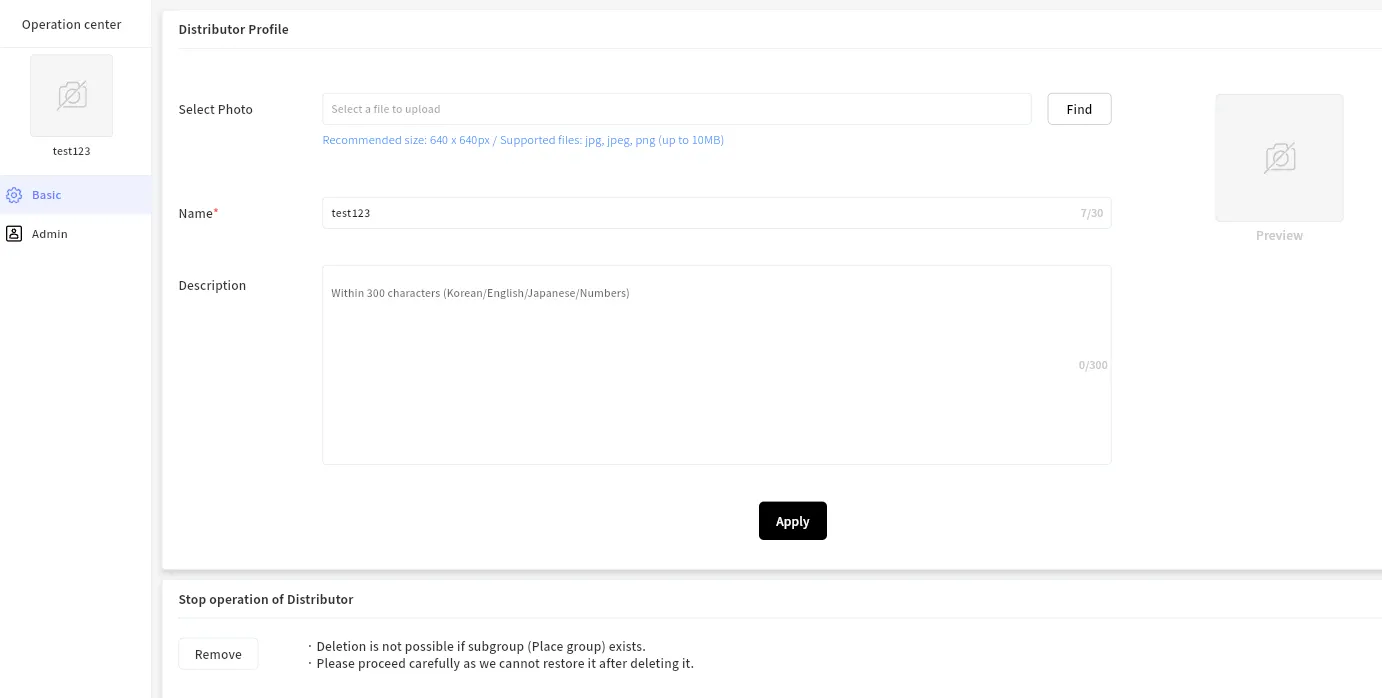
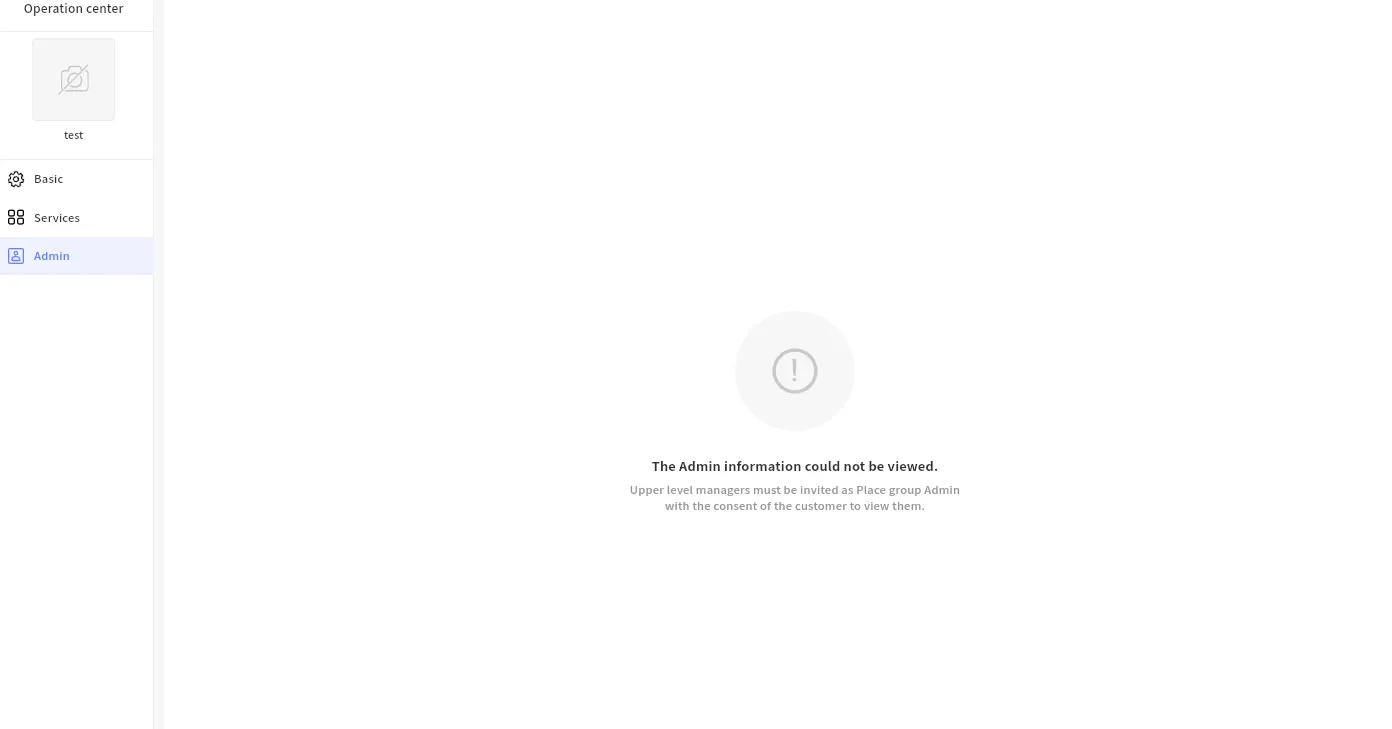
As for the admin menu, you will not be able to see it by default because, as described above, all personal data cannot be accessed initially. It will only be possible when you are invited by the actual distributor or place group admin.
How can I invite customer as admin?
If you have access to the admin menu, you can easily invite other admin users by entering their email addresses. Once they sign up, they will have the same level of admin rights as you.
- Main Admin / Sub Admin: There are no functional differences. The purpose of this is to ensure that at least one main admin is maintained, and sub-admins cannot remove the main admin.
