
Master–Slave Configuration Guide (Suprema × Genetec Plugin)
This section provides guidance on configuring Master–Slave (RS-485) architecture in the Suprema × Genetec plugin.
Configuration Steps
Set the Master Device Mode
Change the operation mode of the target device to Master.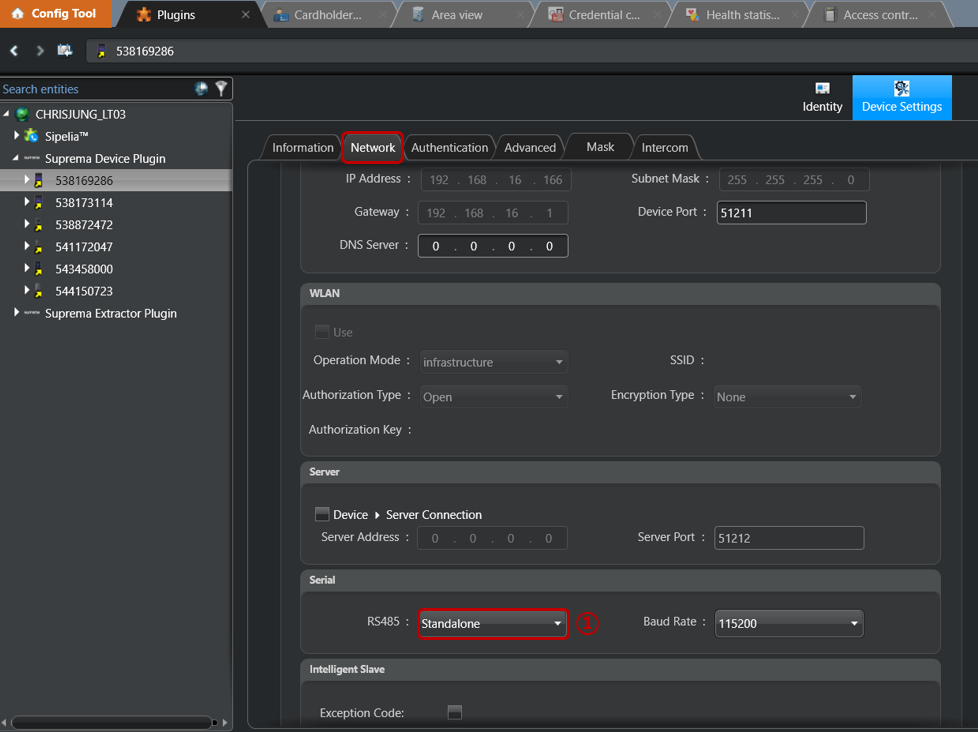
Add Slave Devices
Select the Master device, then click Add Slave Device (RS-485).Search for Slave Devices
Click the Search button to scan for available Slave devices connected via RS-485.Select and Add Slave Devices
From the search results, select the detected device(s) and add them as Slave devices.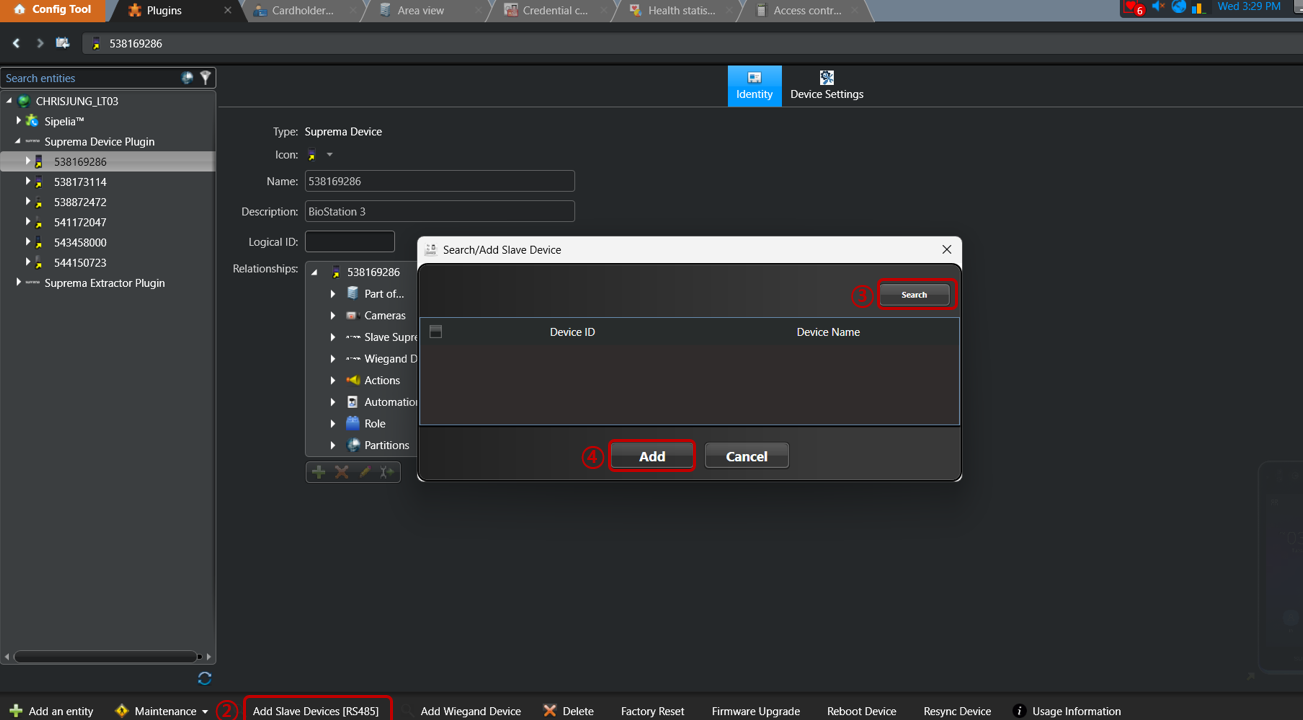
Note
Depending on the site environment (cabling conditions, device response time, or RS-485 bus status), Slave devices may not be added successfully on the first attempt.
If this occurs, it is recommended to click the Add button again to complete the Slave device registration.