
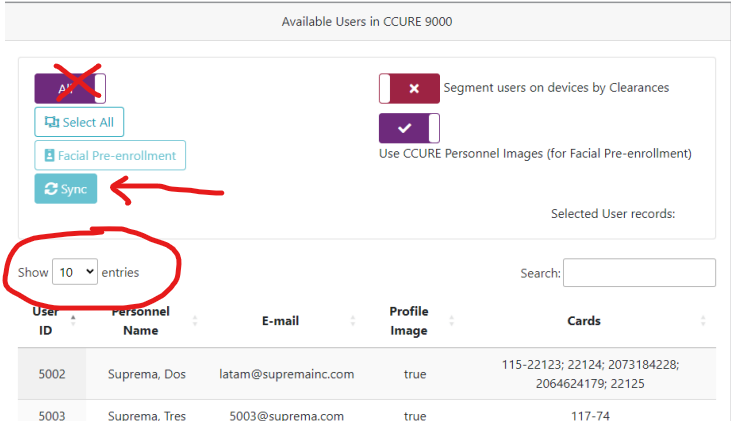
To ensure system stability, please follow the specific synchronization steps below. Do not use the "Select ALL" function for large databases.
o Symptom
During performance testing, the synchronization function failed when attempting to sync the entire user database (approximately 120,000+ personnel) at once.
Internal analysis confirms that the current system architecture (v1.8.6.x) does not support a bulk sync of 116,116+ users simultaneously.
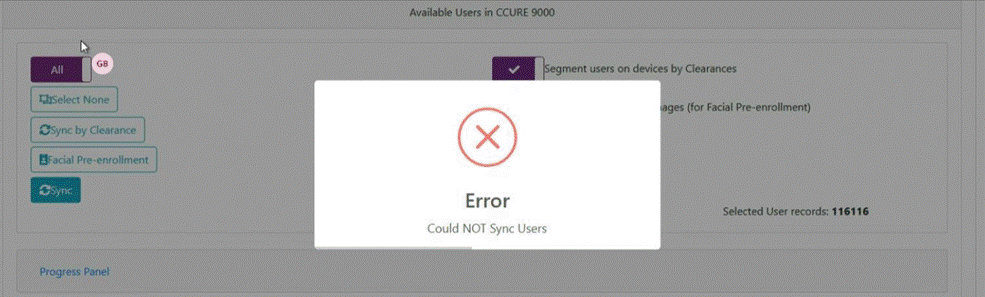
ㅇ Steps for Synchronization
Set Users per Page
Instead of clicking "ALL," set the display limit to a maximum of 10,000 users per page.
Use "Per Page" Menu
As shown on Page 22 of the manual, the sync must be performed using the "per page" menu.
Sequential Sync
Select the users on the current page and click "Sync" first before moving to the next set.
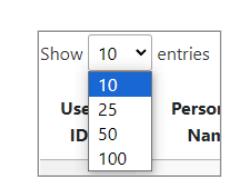
you select max 10,000 users per page and need to click "sync" first
ㅇ Key Takeaway
In the meantime, please avoid the "Select ALL" button. Syncing in batches of 10,000 per page is the recommended stable method.