
Upgrade and Migration Guide Suprema – CCURE Integration
(Version 2.7.5)
FIRST AND FOREMOST: if you have a working installation, please get a backup of all elements in the integration: BioStar 2, CCURE, the integration itself.
for BioStar 2 and CCURE, please follow the procedures available in each support website.
for the Integration itself, get a copy of the following directory:
C:\Program Files\SDG_SnS\SupremaCCURE9K\settings
copy it to a safe location.
Then continue with the following steps:
- Stop and close all CCURE related services or windows
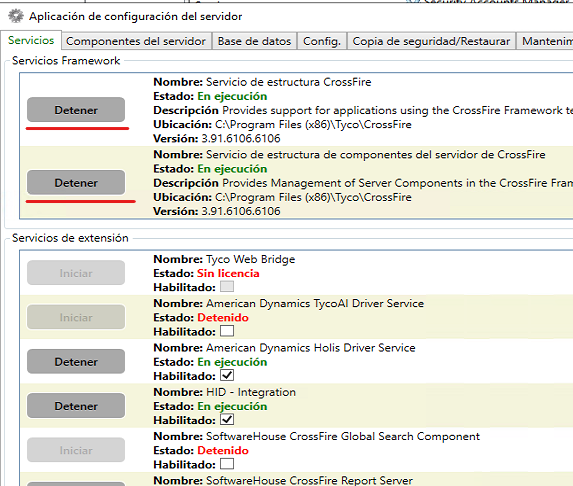
After the services shown as stopped, close ALL CCURE related desktop windows
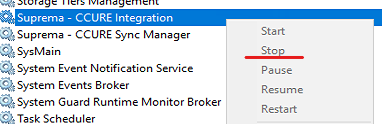
- Open the windows services
Locate and Stop both the Suprema – CCURE Integration and the Suprema – CCURE Sync Manager
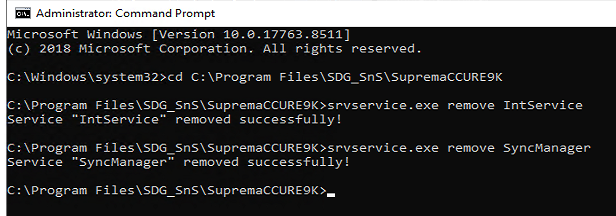
- Open a CMD with admin rights and locate yourself under the installation directory
C:\Program Files\SDG_SnS\SupremaCCURE9K
You should execute both commands as shown in the following image:
- Backup the settings folder contained in the SupremaCCURE9K directory to a safe location
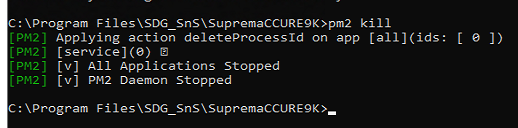
- Afterwards please go back to the CMD window and type: pm2 kill
- Then you can go to the control panel and uninstall the current integration:

Please have in mind that both server and client should be in the same version, minor version can differ but the main version shall be the same, e.g., 2.7.x
Once you hit Uninstall you shall see something like:
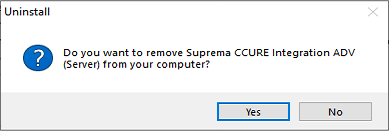
Click Yes and wait for the confirmation
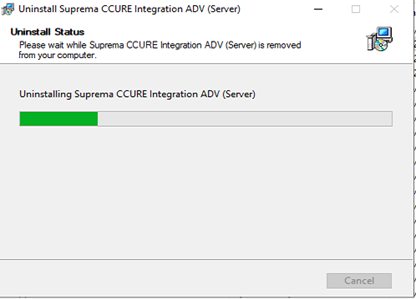
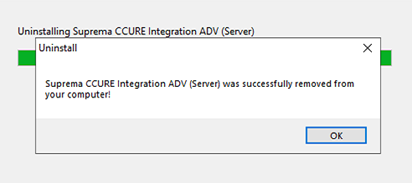
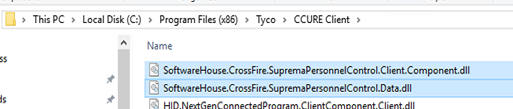
- Go and make a sanity check on the installation directory for the CCURE Client and CrossFire folders, look for:
SoftwareHouse.CrossFire.SupremaPersonnelControl.Client.Component.dll
SoftwareHouse.CrossFire.SupremaPersonnelControl.Data.dll
Or
SDG.SnS.SupremaPersonnelControl.Client.Component.dll
SDG.SnS.SupremaPersonnelControl.Data.dll
And delete them
Similarly in the CrossFire directory
SoftwareHouse.CrossFire.SupremaPersonnelControl.Data.dll
Or
SDG.SnS.SupremaPersonnelControl.Data.dll
And delete it
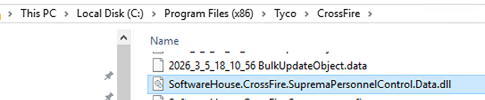
If you received this error
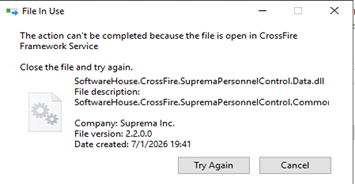
Means that you did not stop the CrossFire services or you did not close the window, please go ahead and close all ccure related windows
- After that you can go ahead and install the latest versions for both server and client plugins
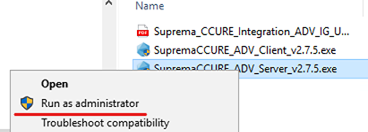
Click next, accept the license agreement and wait for the installer to complete its tasks
After the installation processes are complete, you shall be able to see the Integration in its latest version working without issues.
RESTORE:
If you got a backup from a previous installation, you can restore the backup now, and then review the previous settings were correctly restored.
Wrapping up
- Please remember that in case you get any issue you should open a support ticket in https://support.supremainc.com
IMPORTANT: you should pause and temporarily disable the antivirus protection as in some cases and depending on the antivirus software used, it may block one or more installer operations.