
Symptom:
the Integration behaves errantly or rejects simple operations including adding, removing devices.
Troubleshooting:
Logs are found in the C:\Program Files\SDG_SnS\SupremaCCURE9K\logs route
If anywhere in the logs you find the following:

There can be another process taking the same address and port, so the integration service cannot run correctly.
Try the following:
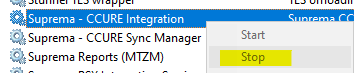
- Stop the integration service from the windows services (Suprema CCURE Integration service)
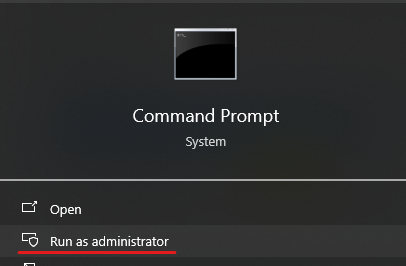
- After stopping it, open a CMD with Admin rights
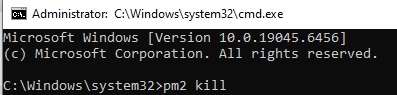
- Type the command: pm2 kill
- Then go to the Resource Monitor from the task manager
 , look for a process that could be still using the port 7733 and terminate it.
- You can also do the same by :
a) Find the PID: Open an elevated Command Prompt and run:
netstat -ano | findstr :7733
Note the PID (the last column in the output) associated with the LISTENING state.
b) Force Stop the Process: Use the taskkill command with the identified PID:
taskkill /PID [PID] /F- Go back to the Windows services and start the Integration service, later verify the logs again to check whether or not the error has been removed.
If this does not solve the problem please open a support ticket in https://support.supremainc.com and our Tech Support Team will assist you.