
Objective
the objective of this article is to guide you through the upgrade process from previous versions (2.7.6 and previous) to the 2.7.7 version (and above)
1. Stop the Windows services
Locate yourself in the windows services, locate the two services marked in the image and stop them.
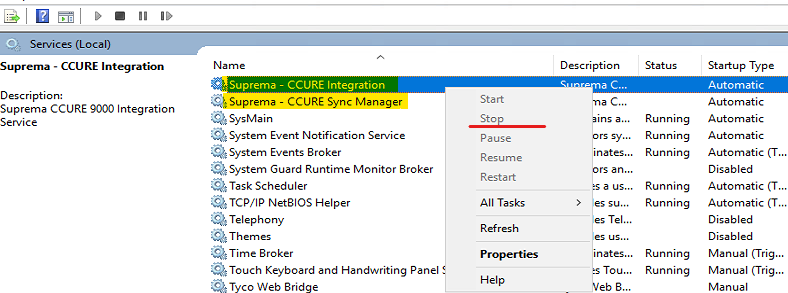
NOTE: you need to STOP all CCURE Services as well, please bear in mind that all CrossFire services and Administration Workstations needs to be close, otherwise the update progress may fail.
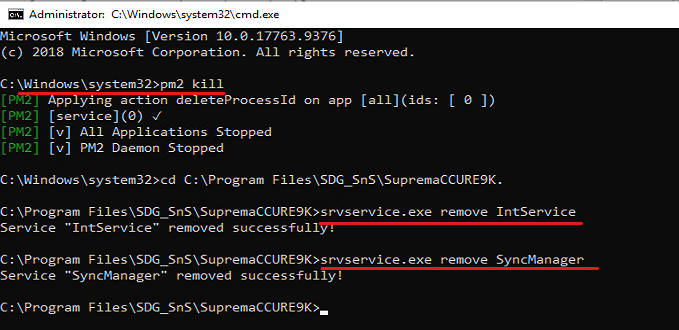
2. Open a CMD with Admin rights
Type the command: "pm2 kill" without colons.
After, cd to the Integration Server directory and type the commands:
srvservice.exe remove IntService
and,
srvservice.exe remove SyncManager
3. Make a backup from the following file and store in a safe location
you will need to restore it afterwards.

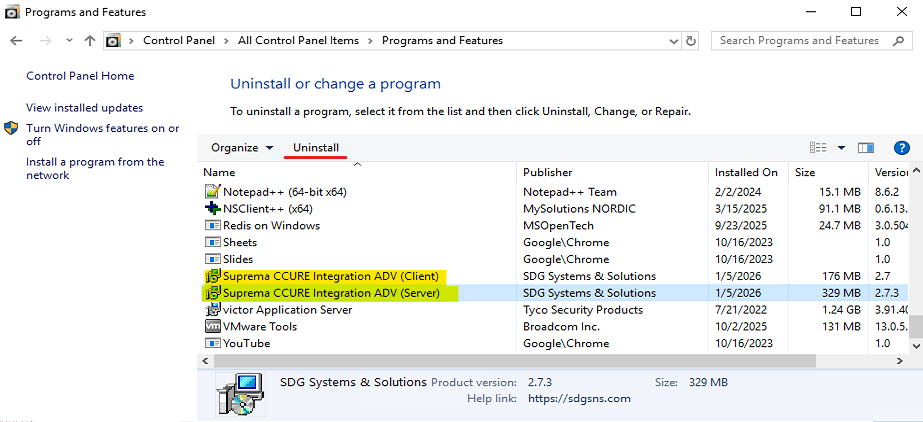
4. Uninstall the current version
5. Install the 2.7.7 version (or later)
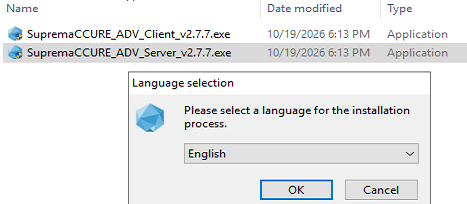
NOTE: remember you need to install Server setup and Client in all hosts that are to run the Integration plugin.
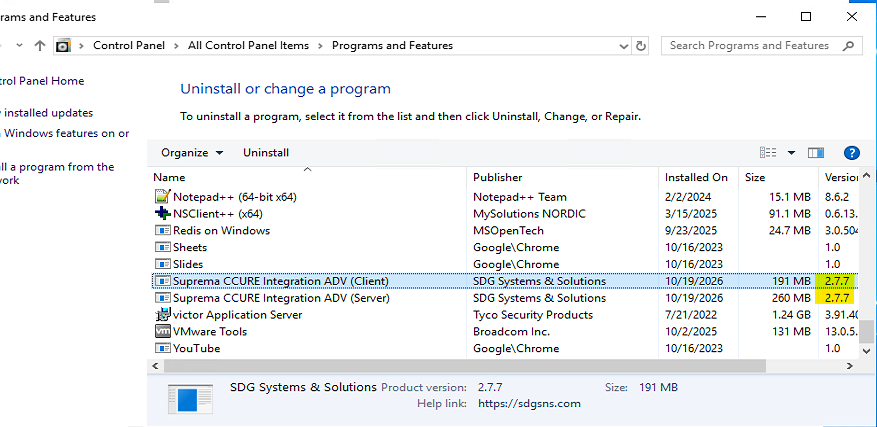
6. Check the result
you may now be able to see the latest version reflected on the Control Panel > Programs and Features
7. Final Steps
- restore the settings.db file back to its original location
- start the CCURE services
- start both Integration and SyncManager services
- Enter the integration tool and verify that the main 3 processes are ONLINE
- Check the Suprema tab working inside CCURE's Personnel View
Throubleshooting
If you followed all these steps and got any error please open a ticket and our Tech Support personnel will follow up with you