
Symptoms:
when going to the Suprema - CCURE Integration tool services status, the SyncManager shows OFFLINE
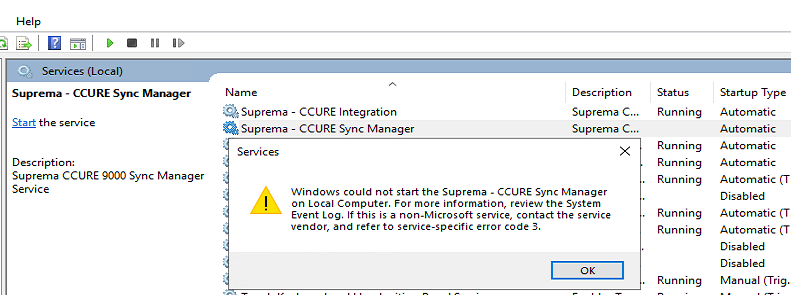
Possible reasons:
1 - The logged in user account does not have any Operator rights in CCURE
2 - Any antivirus (including windows defender) marked any file and blocked it. So the process won't run correctly
3 - The installation process got interrupted half the way
For the first reason:
The Process works using Windows Authentication as Windows Principal auth in CCURE, hence, the user needs to have operator rights in CCURE for it being able to login and work.
If you are not the IT admin of your CCURE Server please contact your own's IT administrator to fulfill the service requeriments
For possible reasons 2 and 3
Please locate yourself in the installation directory and run the SyncManager.exe directly as Administrator
If you see something like:
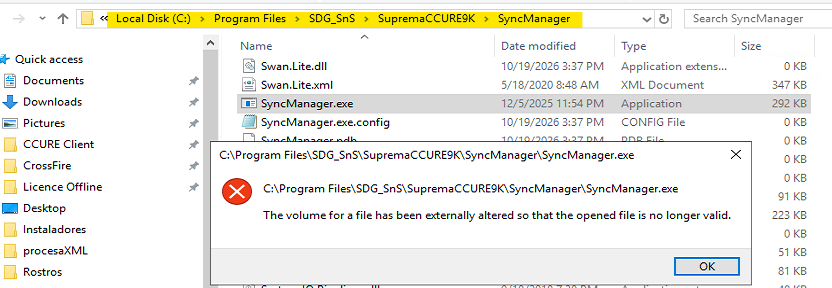
when trying to run the process, then you proceed as described below:
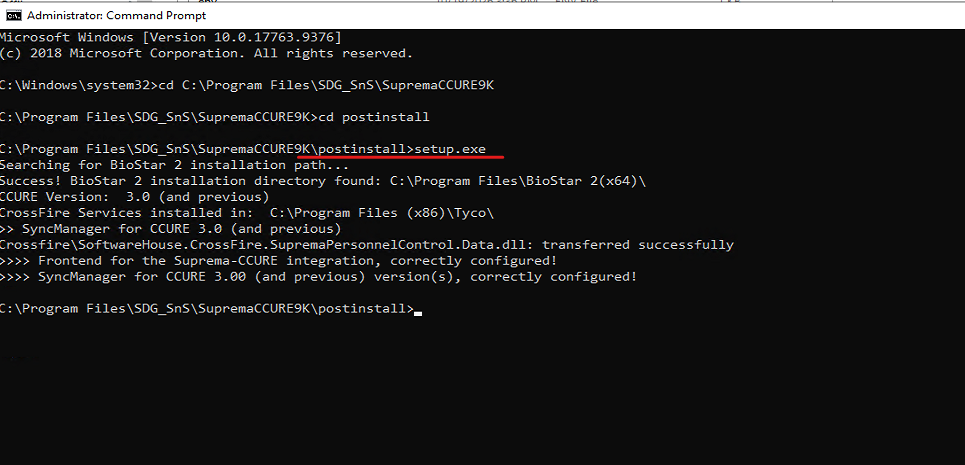
1. Open a CMD with admin rights
2. cd to the postinstall folder inside the SupremaCCURE9K installation directory
3. type the "setup.exe" command
4. You should see some output like the following:
5. Now you can try opening again the SyncManager.exe directly, you can open the service window by click "Show" in the icon in the notification area.

6. Now you should now see something like,
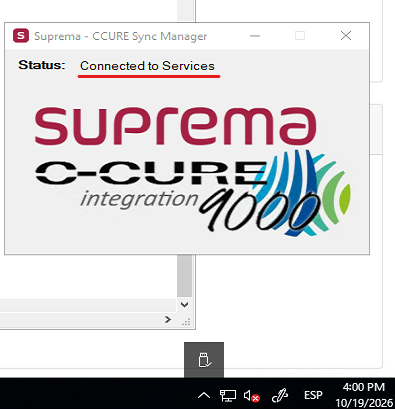
If this is so, means the process should be running normally now.
7. Next, you can close this window. right click on the notification icon and click EXIT

8. After you can return to the Windows Services and start the process from there, you should now see the process running normally:

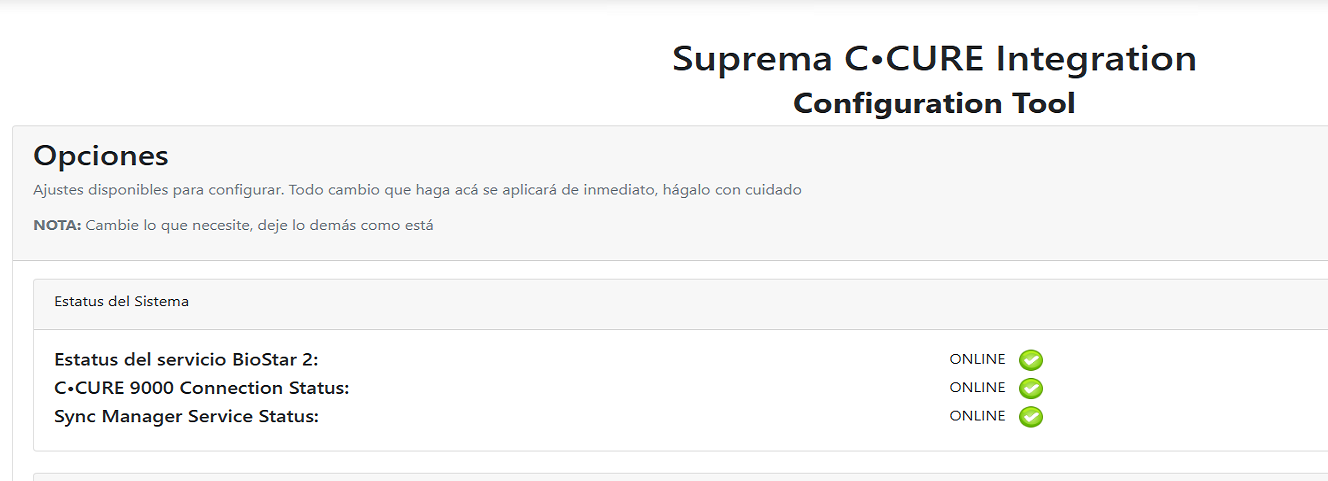
9. If you now go back to the Integration tool you should see the processes ONLINE
Troubleshooting
If you happen to have any issues please open a ticket and our Tech Support personnel will assist you in the solution