
Affected Version: BioStar Device SDK v2.8.3 or later
Overview
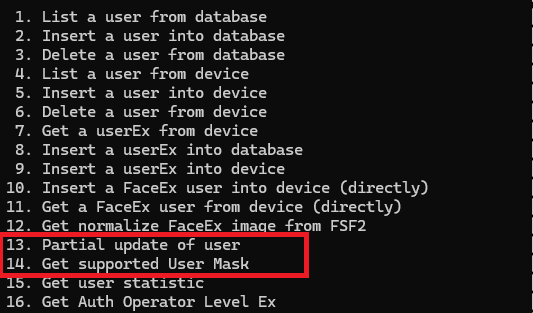
Yes. Starting with BioStar Device SDK v2.8.3, you can use the partial update APIs to update selected information for users registered on a device.
User enrollment APIs, such as BS2_EnrollUser, overwrite existing user information with the supplied user data when overwrite is enabled. The partial update APIs let you select which information to update.
If you use v2.8.2 or earlier, see What About BioStar Device SDK v2.8.2 or Earlier? below.
Supported APIs
Select the appropriate API based on the user structure and the information to update. All APIs listed below are available starting with BioStar Device SDK v2.8.3.
API | Description |
| Updates partial information of an already registered user. | |
| Updates partial information of an already registered user, including Job code and User Phrase. | |
| Updates partial information of an already registered user with efficient use of memory. | |
| Updates partial information of an already registered user with efficient use of memory, including Job code and User Phrase. | |
| Partially updates user information with Visual Face support. |
How to Use
Before using the APIs, check whether the device supports user updates by calling the BS2_GetDeviceCapabilities API and checking the BS2DeviceCapabilities.updateUserSupported field.
Specify the information to update using the API's mask argument. For fields with a corresponding bit in BS2User.infoMask, configure the relevant bits in both masks to update, delete, or retain the information.
Operation | BS2_USER_MASK | infoMask |
| Partial removal | unmasking | unmasking |
Partial edit | masking | masking |
| Retain existing information | unmasking | masking |
For details, refer to the infoMask description in BS2User structure and the documentation for your selected API, linked in the Supported APIs table above.
Note
To retain or remove all credentials of a given type (card, fingerprint, or face), set the corresponding count (numCards, numFingers, or numFaces) to 0 and configure the masks as shown above.
Updating a credential type replaces its existing credential list. To add a credential while keeping existing ones, include both the existing credentials and the new credential in the update.
Sample Code
For an implementation example, refer to the partialUpdateFaceEx method in UserControl.cs, included in the BioStar Device SDK C# sample code.
This example demonstrates how to configure the update mask and user data, handle updates, deletions, and retention of existing information, and call the BS2_PartialUpdateUserFaceEx API.
What About BioStar Device SDK v2.8.2 or Earlier?
The partial update APIs are not available in BioStar Device SDK versions earlier than v2.8.3.
To update an existing user in these versions, use the user enrollment API appropriate for your SDK version and device with overwrite enabled. Include both the updated information and all existing information that must be retained, as the enrollment API overwrites the existing user information with the supplied data.
To send only the updated information, use BioStar Device SDK v2.8.3 or later with a device that supports partial user updates, as described above.