
CLUe supports integration between Suprema devices and the cloud through various methods.
The main integration methods are as follows:
Vendor: A service that determines access authorization by calling the customer’s server API.
Membership: A service that synchronizes users and controls access by utilizing the CLUe API.
Vendor Type
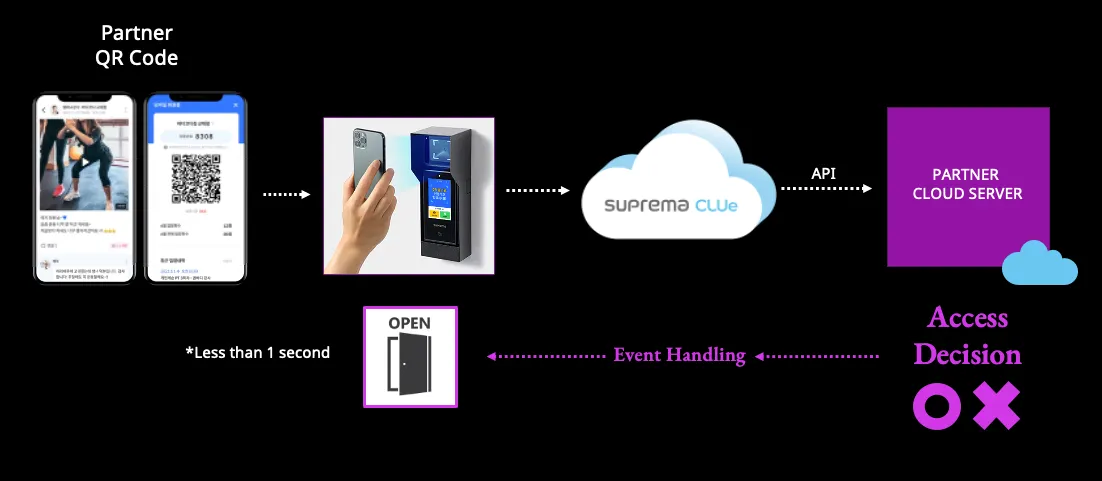
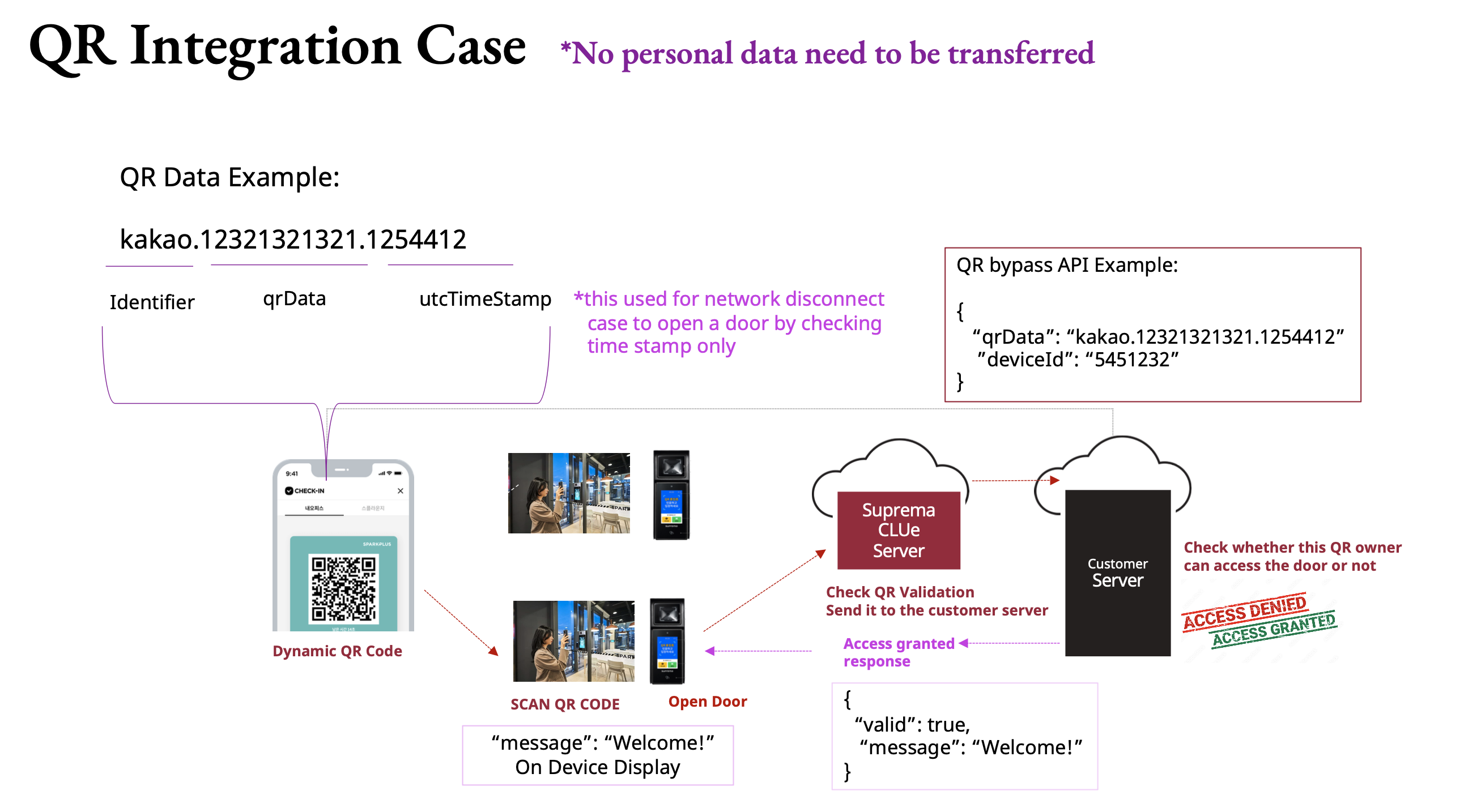
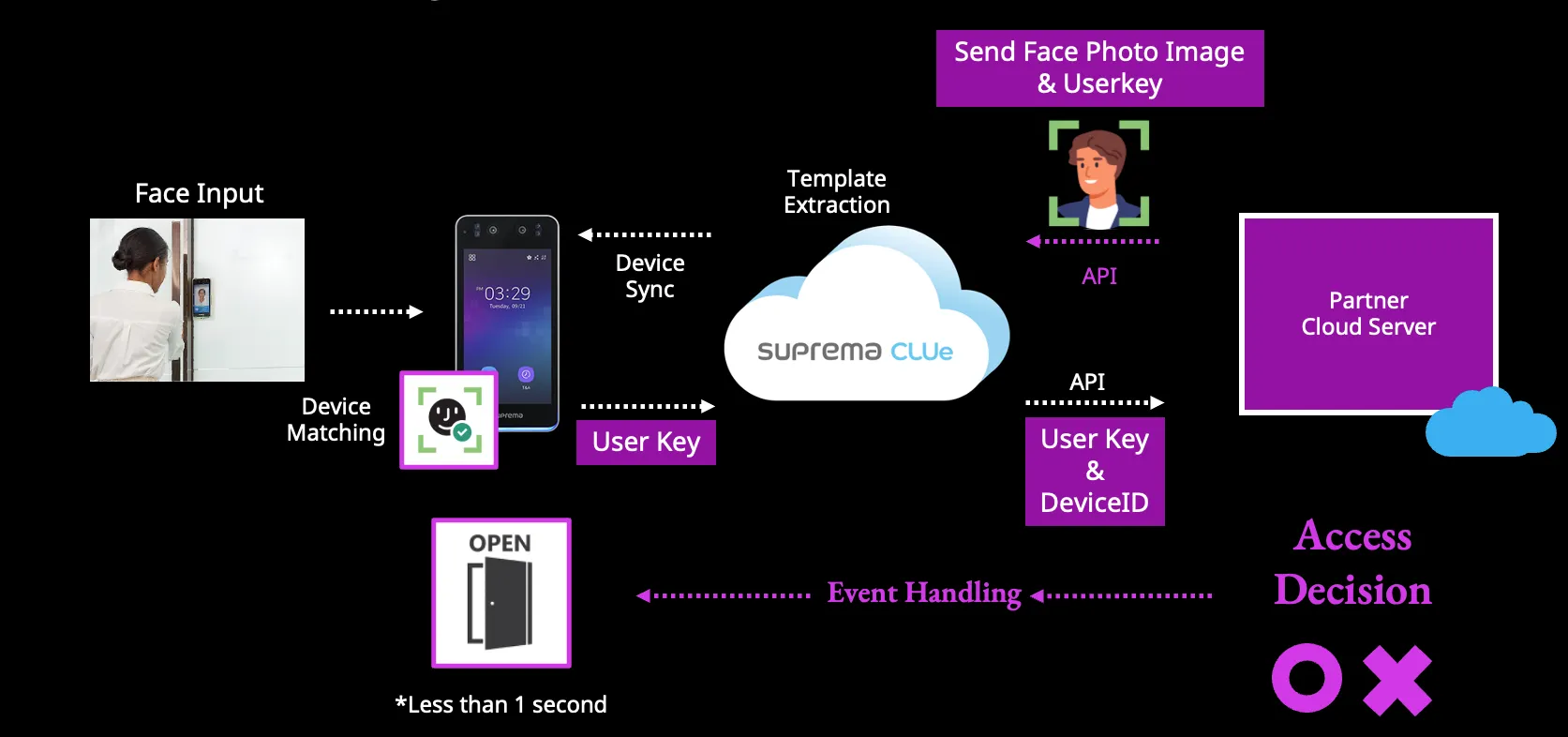
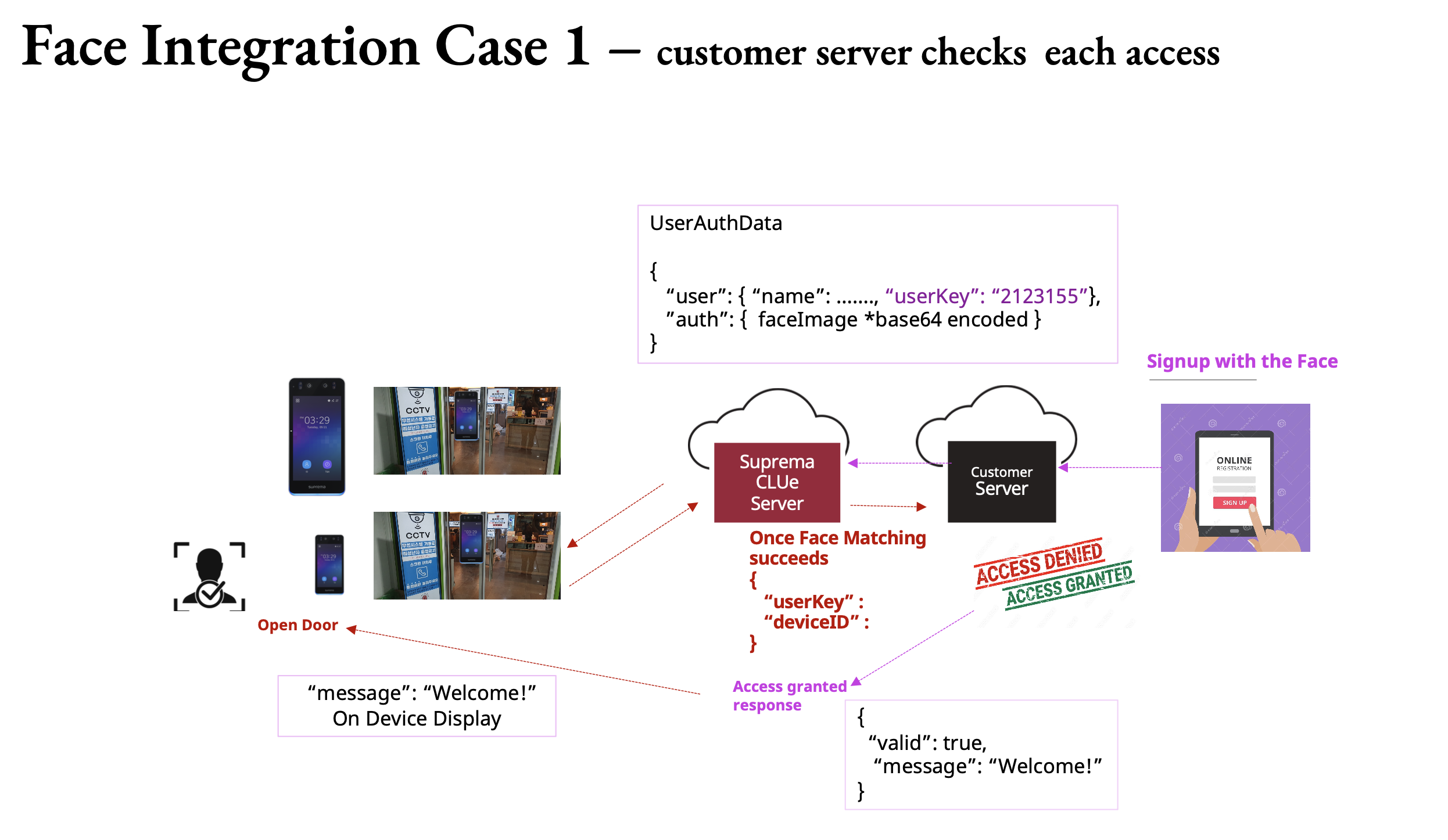
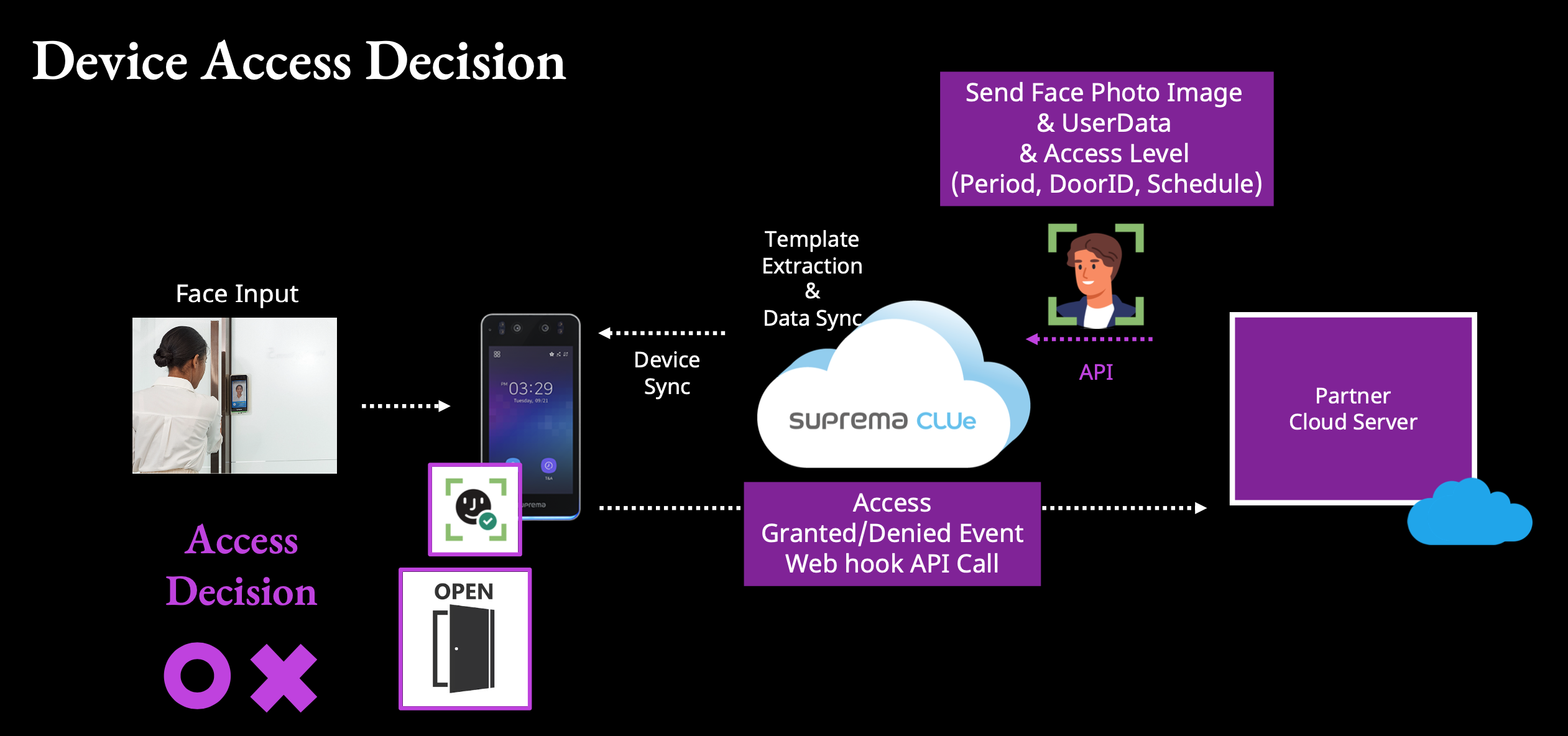
When simplified into a diagram, the integration can be described as follows:
In the Vendor model, QR-based access bypasses additional authentication and directly receives the access authorization result.
<Vendor - QR>
<Vendor - Face>
For face authentication, only a face image needs to be registered. The server extracts the template from the image and synchronizes it with the device.
Once a face match is successful, the userKey provided at the time of registration is sent—similar to the QR flow—to determine whether access is granted.
To configure the above setup, the Vendor must be selected as the service type, and the vendor code issued for each authentication method must be entered.
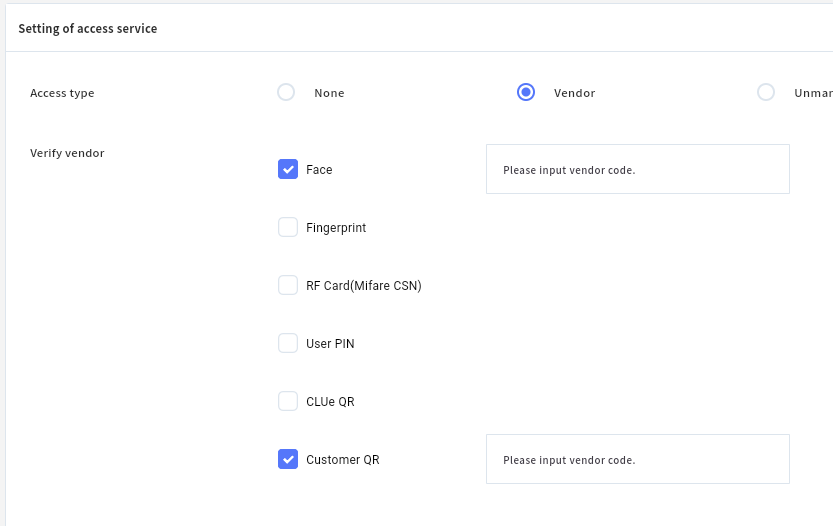
Please note that the service type is configured at the place group level and is propagated to all subordinate places.
Once the service type is set at the place group level, it does not need to be configured repeatedly for each individual place.
The difference between CLUe QR and Customer QR is as follows:
CLUe QR uses dynamically generated QR codes issued directly by CLUe.
If the customer generates and operates their own QR codes independently, Customer QR must be selected.
Vendor Code generation is handled separately after reviewing the API specifications.
For this process, please contact the CLUe team directly.
For face user registration, you may proceed by referring to the CLUe API guide.
CLUe API GUIDE
Membership Type
The Membership service type operates in essentially the same manner.
Currently, QR is not supported for Membership; however, biometric and card data integration is available.
For fingerprints, you may either extract and submit the fingerprint templates separately, or register them by scanning through a Suprema device.
Similarly, cards can be registered by scanning them directly on the device.
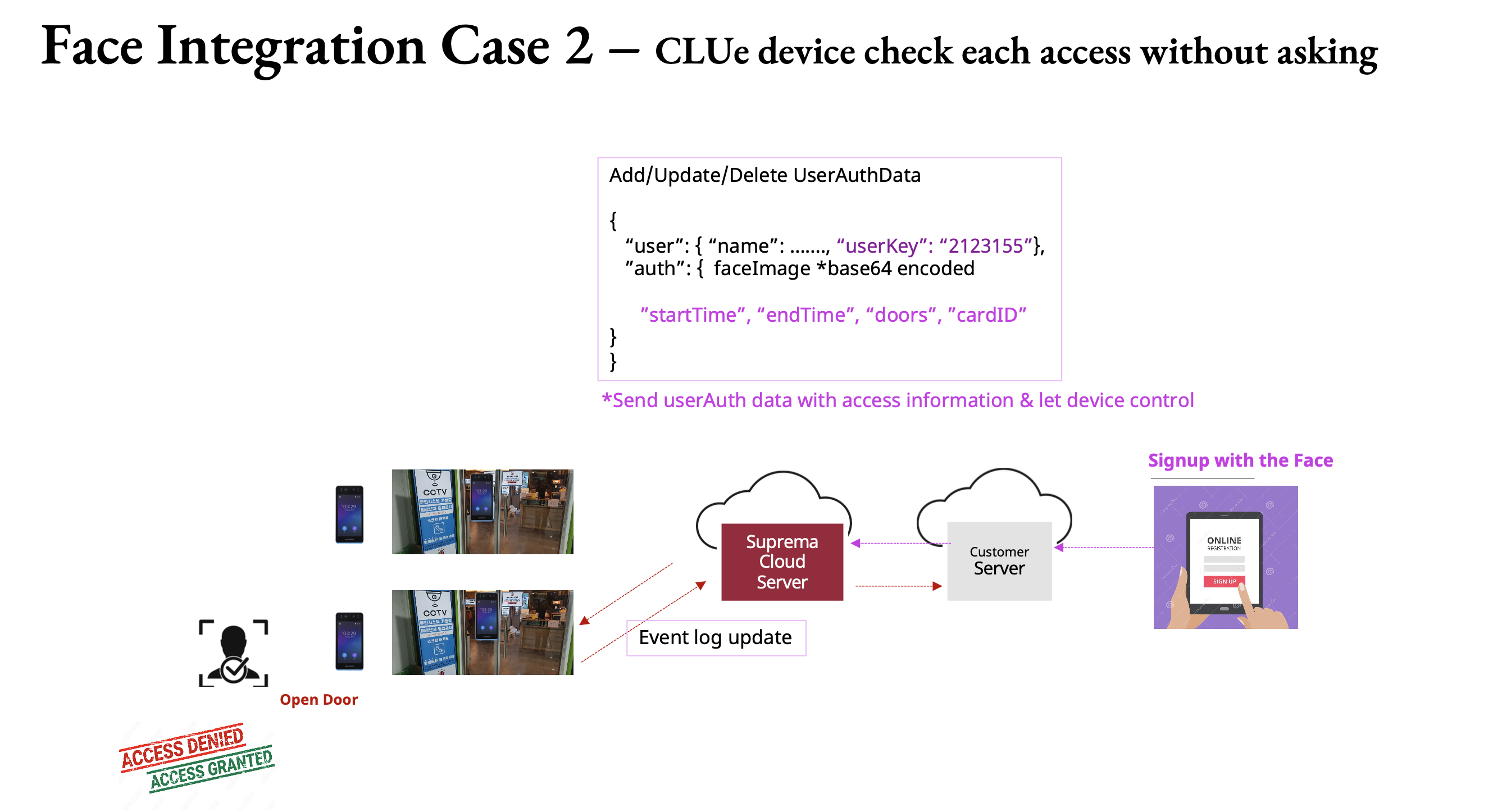
When using the Membership service, users can likewise be synchronized through the CLUe API.
Access permissions can also be assigned and managed with different authorization levels.
