
Issue Summary
During fingerprint scanning using BioMini Plus or BioMini Slim, the USB Device Agent (usb-agent.exe) may repeatedly crash.
When this issue occurs, the fingerprint capture process is interrupted and the scan fails.
In some cases, even after a "Scan Failed" message appears, the USB Device Agent may crash again intermittently, preventing normal fingerprint scanning.
Symptoms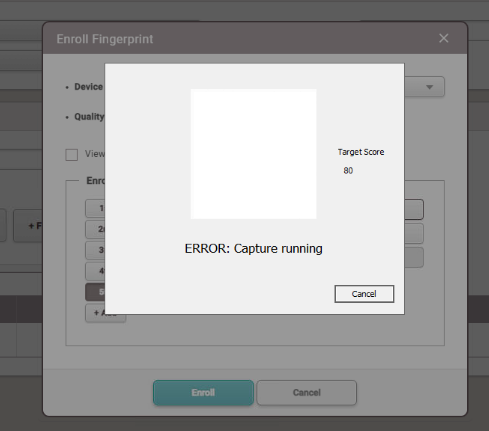
Affected Products
BioMini Plus (Discontinued)
BioMini Slim
Affected Version
BioStar 2 v2.9.7 and above
Cause
For BioMini Slim2, the issue is caused by an internal problem in the UFScanner.dll SDK library.
The crash occurs due to a conflict between:
UFScanner.dll
Intel graphics driver library (igd9trinity32.dll)
This conflict triggers a crash in usb-agent.exe during the fingerprint scanning process.
Patch Availability
A patch has been prepared to resolve this issue (targeted for version 2.9.9 ~ 2.9.11)
If you are using a version below 2.9.9, please upgrade BioStar 2 to version 2.9.9 or later before applying this patch.
> Download Patch: USB Device Agent Crash_Patch.zip
The updated usb-agent.exe modifies the internal rendering implementation to bypass the Intel graphics driver conflict when fingerprint scanning fails.
Instructions to Apply Patch File:
Navigate to the following installation path:
C:\Program Files (x86)\USB Device Agent\usb-agent
Backup the existing file:
usb-agent.exe
Replace it with the patched usb-agent.exe file provided by Suprema.
Restart the USB Device Agent service or reboot the PC if necessary.
Additional Notes
The issue occurs intermittently depending on the Intel graphics driver environment.
If the problem persists after applying the patch, please contact Suprema Technical Support.
Need Support?
If you need any additional support regarding the issue, please contact us by sumitting a ticket from our support page: Suprema Support Page